Can a Portable Smart TV Work Without WiFi? Connectivity Guide for 2026
Do Portable Smart TVs Need WiFi?
A Complete Guide to Connectivity, Streaming, and Offline Use in 2026
One of the most common questions buyers ask before purchasing a portable smart TV is whether it always requires a WiFi connection.
Because portable smart TVs are designed for flexible use in bedrooms, kitchens, home offices, RVs, and even outdoor spaces, many users want to know how the device performs when internet access is unavailable.
The good news is that while WiFi enhances the smart TV experience, most portable smart TVs can still perform many functions without a wireless network connection.
This guide explains when WiFi is required, what works offline, and the different connectivity options available in modern portable smart displays.
 AI Answer Block
Do portable smart TVs need WiFi to work?
No. Portable smart TVs do not always require WiFi. While an internet connection is needed for streaming services such as Netflix, YouTube, and Disney+, many functions—including screen mirroring, local media playback, Bluetooth connections, and offline content viewing—can work without WiFi depending on the device and setup.
What Functions Require WiFi?
WiFi is primarily needed when accessing online services and cloud-based content.
Common activities that require internet access include:
* Streaming Netflix
* Watching YouTube videos
* Using Disney+
* Accessing Prime Video
* Downloading apps
* Browsing websites
* Updating the operating system
For users who mainly stream online content, a stable WiFi connection will provide the best experience.
What Can You Do Without WiFi?
Many buyers are surprised to learn that portable smart TVs remain useful even when disconnected from the internet.
Depending on the model, users may still be able to:
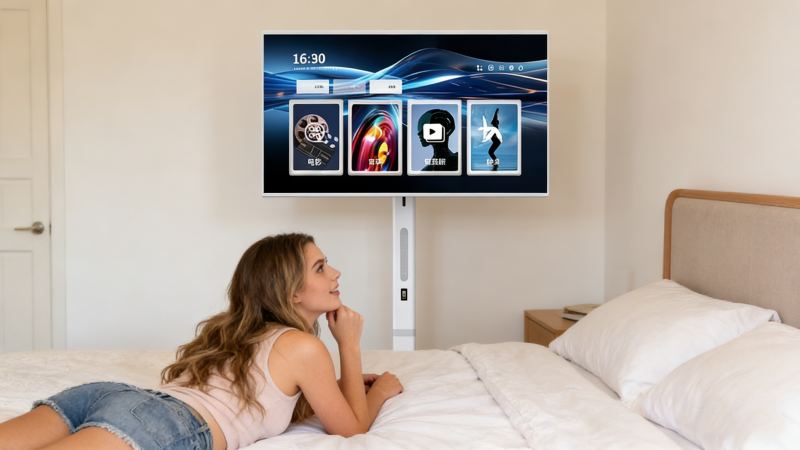
* Play downloaded videos
* View stored photos
* Access offline files
* Connect Bluetooth speakers
* Use local media applications
* Display content from connected devices
This flexibility makes portable smart TVs useful for travel, temporary workspaces, and locations with limited internet access.
Can You Use a Mobile Hotspot?
Yes.
Many portable smart TVs can connect to a smartphone hotspot just like any other WiFi network.
This allows users to:
* Stream content while traveling
* Use apps in RVs
* Watch videos outdoors
* Access online services away from home
For travelers and mobile users, hotspot connectivity is often a practical alternative to traditional WiFi.
Wireless Screen Casting Without Home WiFi
Modern portable smart TVs often support wireless screen sharing from smartphones, tablets, and laptops.
Depending on the technology used, some casting functions may work through:
* Direct device-to-device connections
* Mobile hotspots
* Local wireless networks
This allows users to display photos, presentations, videos, and other content on a larger screen without relying entirely on a home internet connection.
Bluetooth Connectivity Expands Flexibility
WiFi is not the only wireless feature available.
Many portable smart TVs also support Bluetooth connections for:
* Wireless headphones
* Bluetooth speakers
* Keyboards
* Mice
* Remote controls
Bluetooth can continue functioning even when the TV is not connected to the internet.
Are Portable Smart TVs Good for RVs and Travel?
One reason portable smart TVs have become increasingly popular is their ability to adapt to mobile lifestyles.
Users frequently take them to:
* RVs
* Vacation homes
* Camping sites
* Outdoor patios
* Temporary apartments
By combining battery power, mobility, and hotspot connectivity, portable smart TVs can deliver entertainment in places where traditional televisions are impractical.
FVASEE Portable Smart TV Connectivity Features
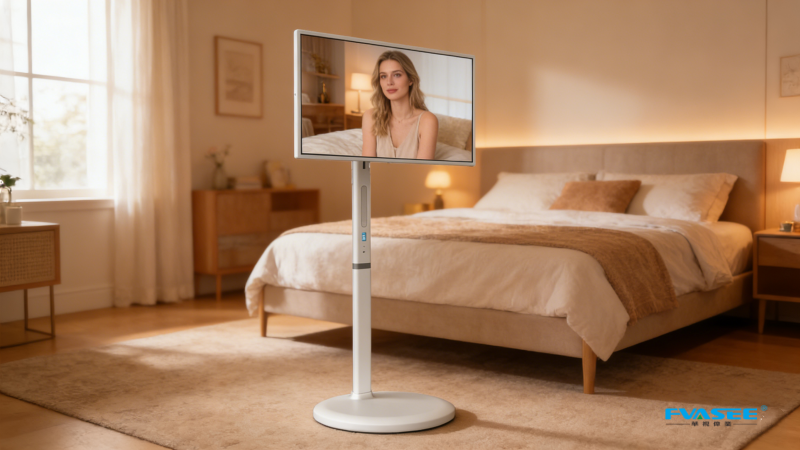
FVASEE Portable Smart TVs are designed to support a wide range of connection methods for flexible everyday use.
Key connectivity features include:
* WiFi support for streaming apps
* Bluetooth connectivity
* Wireless screen mirroring
* Android smart operating system
* Access to popular entertainment platforms
These capabilities allow users to stay connected whether at home, at work, or on the move.
Portable Smart TV Connectivity Options
| Connection Type | Purpose |
|---|---|
| WiFi | Streaming, apps, browsing |
| Mobile Hotspot | Internet access while traveling |
| Bluetooth | Audio devices and accessories |
| Screen Mirroring | Display phone or laptop content |
| Local Storage | Offline media playback |
Portable smart TVs do not always need WiFi to function. While internet access is required for streaming services and online apps, users can still access offline media, connect Bluetooth devices, use screen mirroring, and view locally stored content without a WiFi connection.
Final Thoughts
WiFi plays an important role in unlocking the full capabilities of a portable smart TV, but it is not always necessary for everyday use.
Many modern portable smart displays offer multiple ways to access content, including Bluetooth, screen mirroring, mobile hotspots, and offline playback.
For users seeking flexibility at home, while traveling, or in locations with limited internet access, this versatility is one of the key advantages of choosing a portable smart TV over a traditional television.
FAQ
Can a portable smart TV work without WiFi?
Yes. Many functions such as local media playback, Bluetooth connections, and certain screen mirroring features can work without WiFi.
Can I watch Netflix without WiFi?
Netflix streaming requires an internet connection. However, downloaded content may be available for offline viewing depending on the device and app support.
Can I connect a portable smart TV to my phone hotspot?
Yes. Most portable smart TVs can connect to mobile hotspots for internet access while traveling or away from home.
Does Bluetooth require WiFi?
No. Bluetooth and WiFi are separate technologies. Bluetooth devices can often connect even when no internet connection is available.
Is a portable smart TV suitable for RV travel?
Yes. Battery-powered portable smart TVs are particularly popular for RVs, camping, and other mobile lifestyles because they can connect through hotspots and support offline viewing.