Interactive Collaboration Displays for Student Project Labs and Innovation Spaces | FVASEE
Interactive Visualization Displays Supporting Collaborative Student Project Labs
Project-based learning and collaborative experimentation have become essential components of modern education. In many schools and universities, dedicated project labs provide students with spaces to explore ideas, prototype solutions, and work together on interdisciplinary challenges. These environments require tools that support brainstorming, visualization, and group interaction.
Advanced interactive display systems help transform project laboratories into collaborative innovation spaces. By combining large-format visual displays with touch interaction and wireless sharing capabilities, these platforms allow students to develop ideas collectively, present findings clearly, and refine projects through teamwork.
FVASEE’s interactive display technologies are designed to support this collaborative learning model, enabling project labs to function as dynamic environments where ideas can be shared, visualized, and developed in real time.
Why Collaborative Project Labs Need Interactive Displays
Student project labs often involve group discussions, concept development, and problem-solving tasks that benefit from shared visual workspaces. Digital displays designed for collaborative environments provide several advantages:
Shared Visual Workspaces
Students can gather around large interactive screens to brainstorm ideas, annotate diagrams, and organize project workflows collectively.
Wireless Device Collaboration
Multiple students can connect laptops, tablets, or smartphones to a display, allowing teams to present designs, simulations, or research findings simultaneously.
Real-Time Editing and Annotation
Interactive tools allow users to write, highlight, or edit content directly on screen, making group discussions more structured and productive.
Instant Content Sharing
Teams can save and distribute whiteboard notes or visual outputs immediately, ensuring that project progress is documented and accessible.
These capabilities help project labs evolve into collaborative workspaces where learning happens through experimentation and discussion.
Core Capabilities of Interactive Project Lab Displays
Multi-User Touch Interaction
Interactive displays support simultaneous touch input, allowing several students to interact with content at once — ideal for group brainstorming sessions or collaborative design work.
Wireless Screen Sharing
Students can easily mirror content from their personal devices to the main display, making it simple to present project ideas, prototypes, or research data.
Integrated Digital Whiteboarding
Built-in whiteboard tools allow teams to sketch concepts, map workflows, and annotate documents in real time, supporting active project development.
Multimedia and Application Integration
Displays can run educational software, engineering simulations, coding environments, and multimedia presentations, enabling diverse project activities within one platform.
These features make interactive displays central tools for collaborative project-based learning environments.
Practical Applications in Student Project Laboratories
Group Design and Engineering Projects
Students can collaboratively plan prototypes, annotate schematics, and evaluate design iterations on shared digital canvases.
Research Presentations and Peer Review
Teams can present project progress to classmates and instructors, encouraging discussion, critique, and refinement.
Interdisciplinary Innovation Labs
Displays allow students from different disciplines — such as engineering, design, and business — to visualize ideas and coordinate project development.
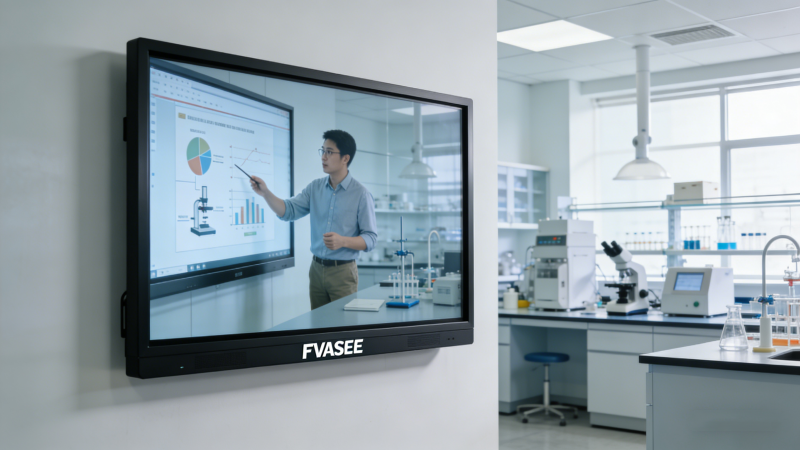
STEM Project Demonstrations
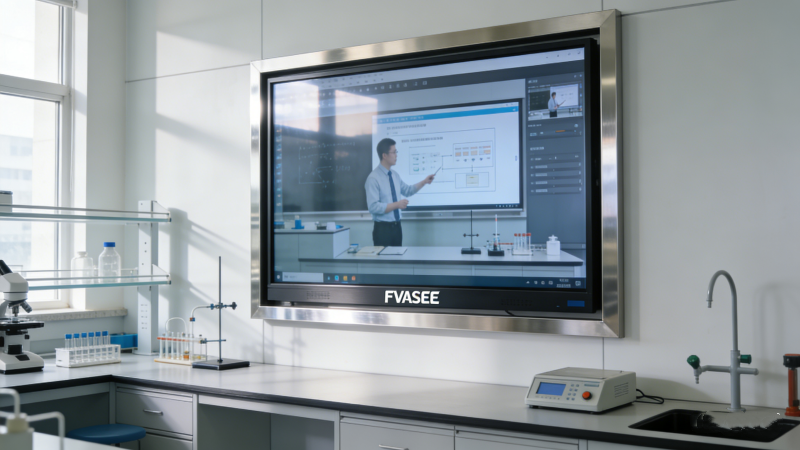
Interactive screens help teams display simulation results, experiment data, or technical diagrams during presentations.
Through these applications, collaborative labs become more interactive, productive, and engaging.
Benefits for Students and Educators
Improved Team Collaboration
Shared digital workspaces encourage communication and cooperative problem solving among students.
More Engaging Project Development
Interactive visual tools help students explore concepts more effectively than traditional whiteboards or static displays.
Efficient Idea Documentation
Notes, diagrams, and workflows created during discussions can be saved and distributed instantly.
Support for Active Learning Models
Interactive displays encourage students to participate directly in project development rather than passively observing.
These advantages make collaborative technology an essential part of modern project-based education.

Why FVASEE Interactive Displays Fit Project Lab Environments
FVASEE interactive display platforms provide features that align with the needs of collaborative learning spaces:
* Large 4K visual displays for detailed content viewing
* Multi-device wireless screen sharing for team presentations
* Multi-touch collaboration supporting simultaneous interaction
* Integrated whiteboarding and annotation tools for brainstorming
* Reliable operation designed for daily classroom and lab use
Together, these capabilities enable educational institutions to create collaborative project labs where students can experiment, design, and innovate together.
Collaborative project labs represent the future of experiential learning in schools and universities. By integrating interactive display systems into these environments, institutions can provide students with the tools needed to brainstorm ideas, share insights, and develop solutions together.
FVASEE’s interactive display technologies help transform project labs into visual collaboration hubs — empowering students to learn through teamwork, creativity, and hands-on exploration.